

Digital art occupies a strange middle ground — created entirely on screen, built from layers and pixels, yet almost always exported and shared as a single flat image regardless of how dynamic the piece looks.
Image to video technology finally lets digital art exist the way it was made: with depth, layers, and motion baked into the final result rather than lost at export. Dreamina, powered by its latest and most advanced video generation model, Seedance 2.5, gives digital artists a straightforward way to let a finished piece move.
Working with series or collections of related art
Artists producing a themed series, such as a set of pieces sharing a color palette or subject matter, can apply a consistent motion approach across the whole series, helping individual pieces feel connected when viewed together on a portfolio page or social feed.
The layered nature of digital art was always an advantage
Anyone who works in digital painting or design software understands how close a finished piece already sits to animation — separate layers for lighting, background, subject, and effects, each one theoretically capable of independent movement. Most artists simply never had an accessible way to actually animate those layers without learning entirely new software.
What sets apart digital art that's ready for motion
A few qualities tend to separate pieces that translate well into video from those that don't:
- A clear light source that can plausibly shift or move
- Elements like water, smoke, or particles already suggesting motion
- A composition with enough depth to support believable camera movement
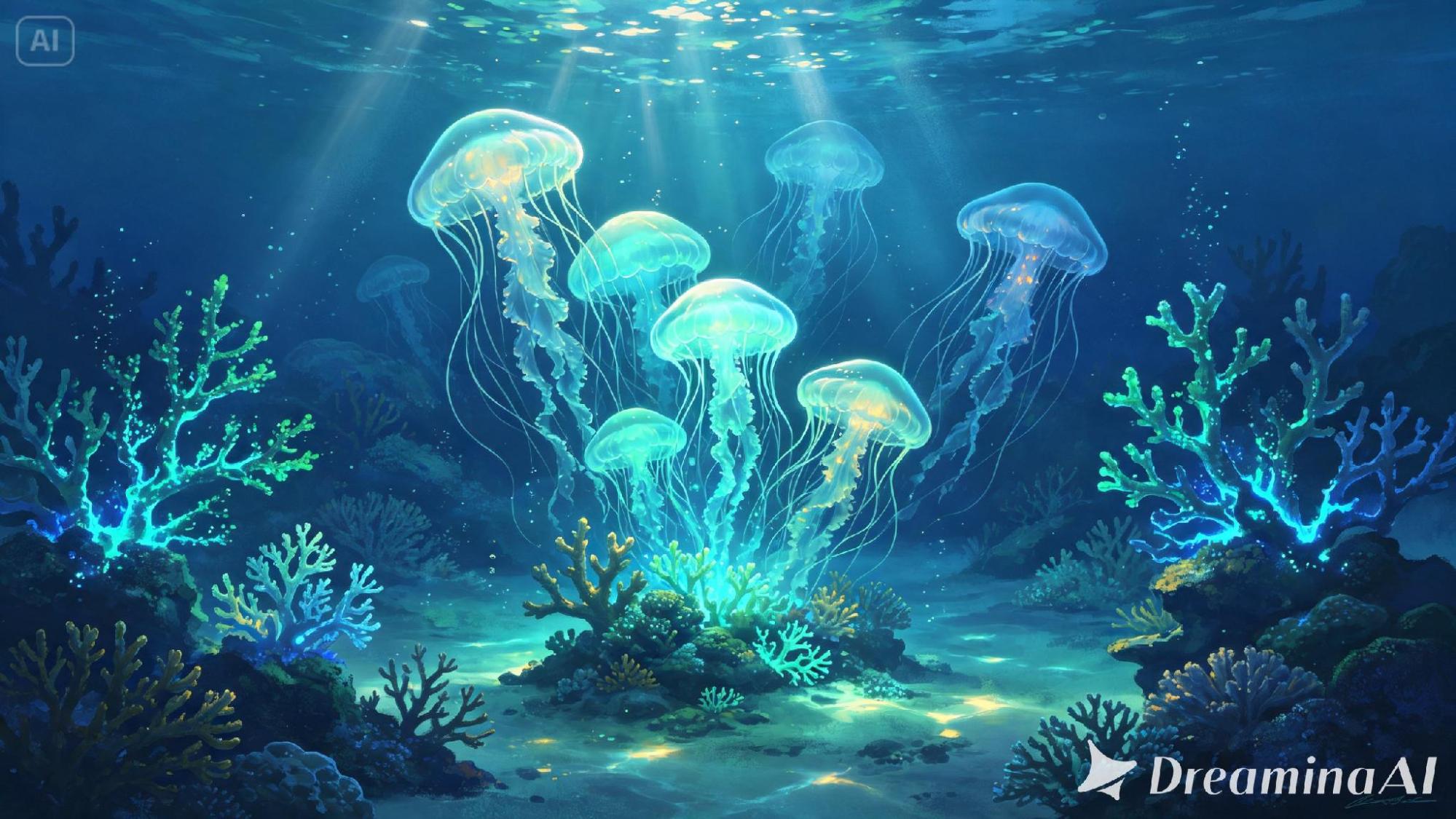
Bringing your piece to motion: Three steps with Dreamina
Step 1: Upload your poster and describe the reveal
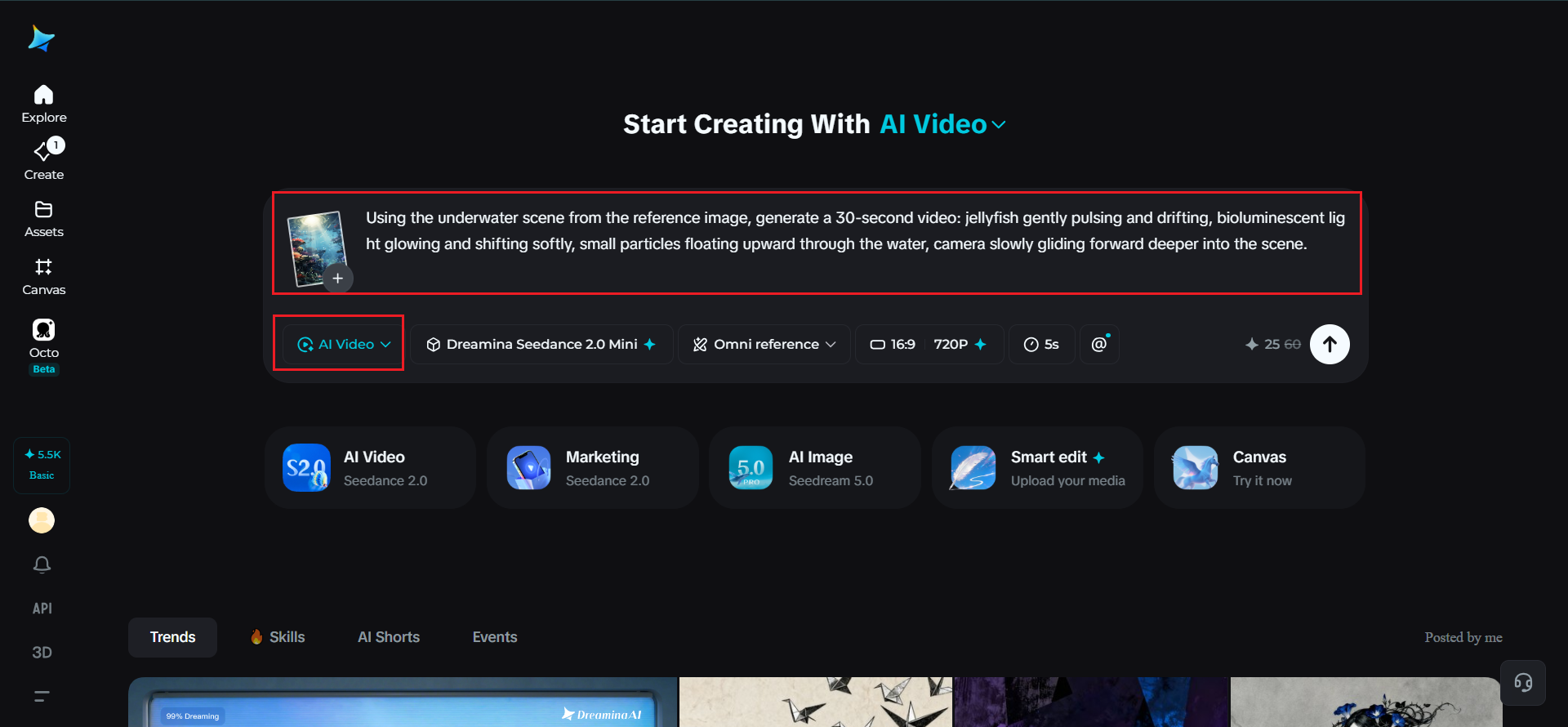
Sign in to Dreamina and open the "AI Video" section. Click "Add reference image" to upload your digital artwork, then add your prompt to describe the video.
For a 30-second video, try: Using the underwater scene from the reference image, generate a 30-second video: jellyfish gently pulsing and drifting, bioluminescent light glowing and shifting softly, small particles floating upward through the water, camera slowly gliding forward deeper into the scene.
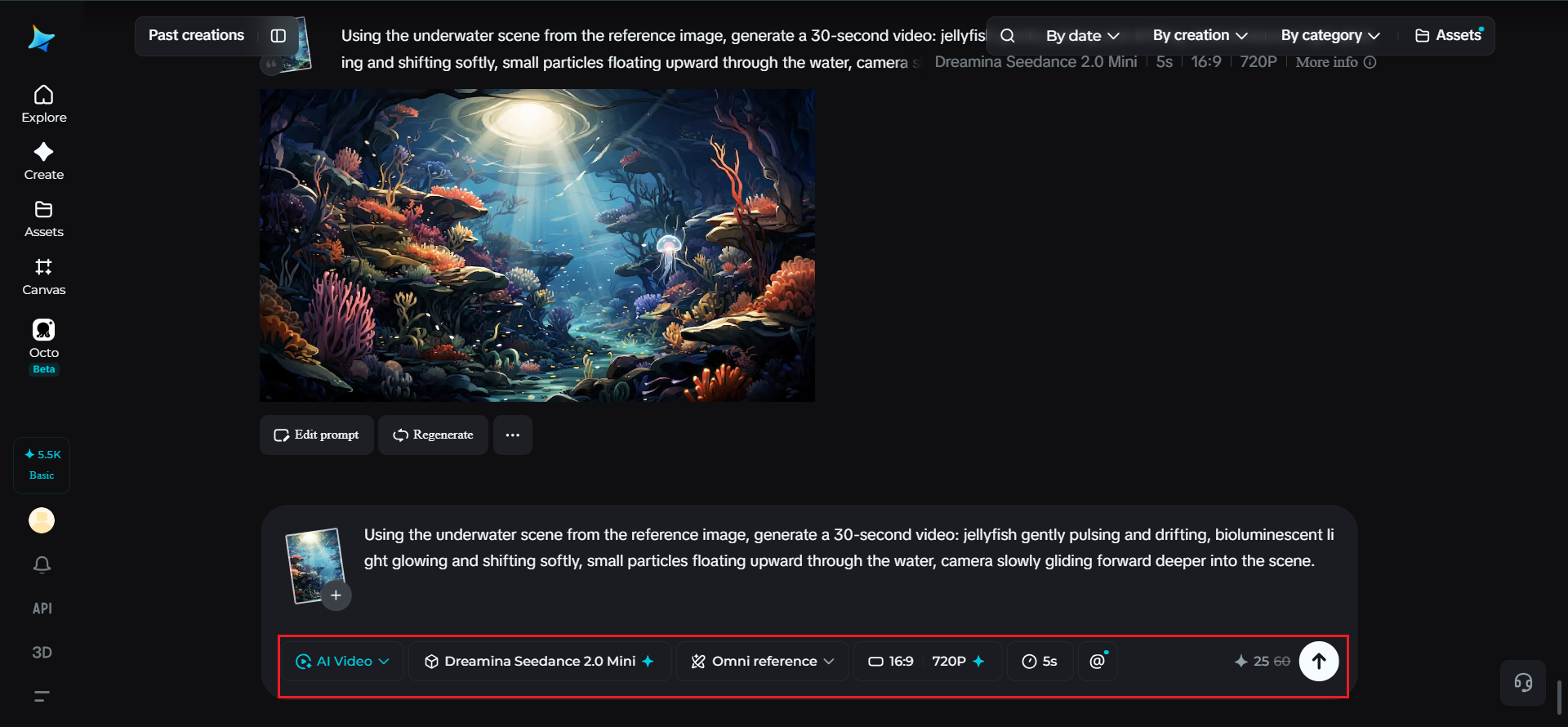
Step 2: Generate with Seedance 2.5
After adding your image and prompt, choose the Seedance 2.5 model for the generation. Next, choose the video length, then a suitable aspect ratio — pick 16:9 for YouTube or 9:16 for TikTok. Finally, click Dreamina's icon and wait a few seconds for processing.
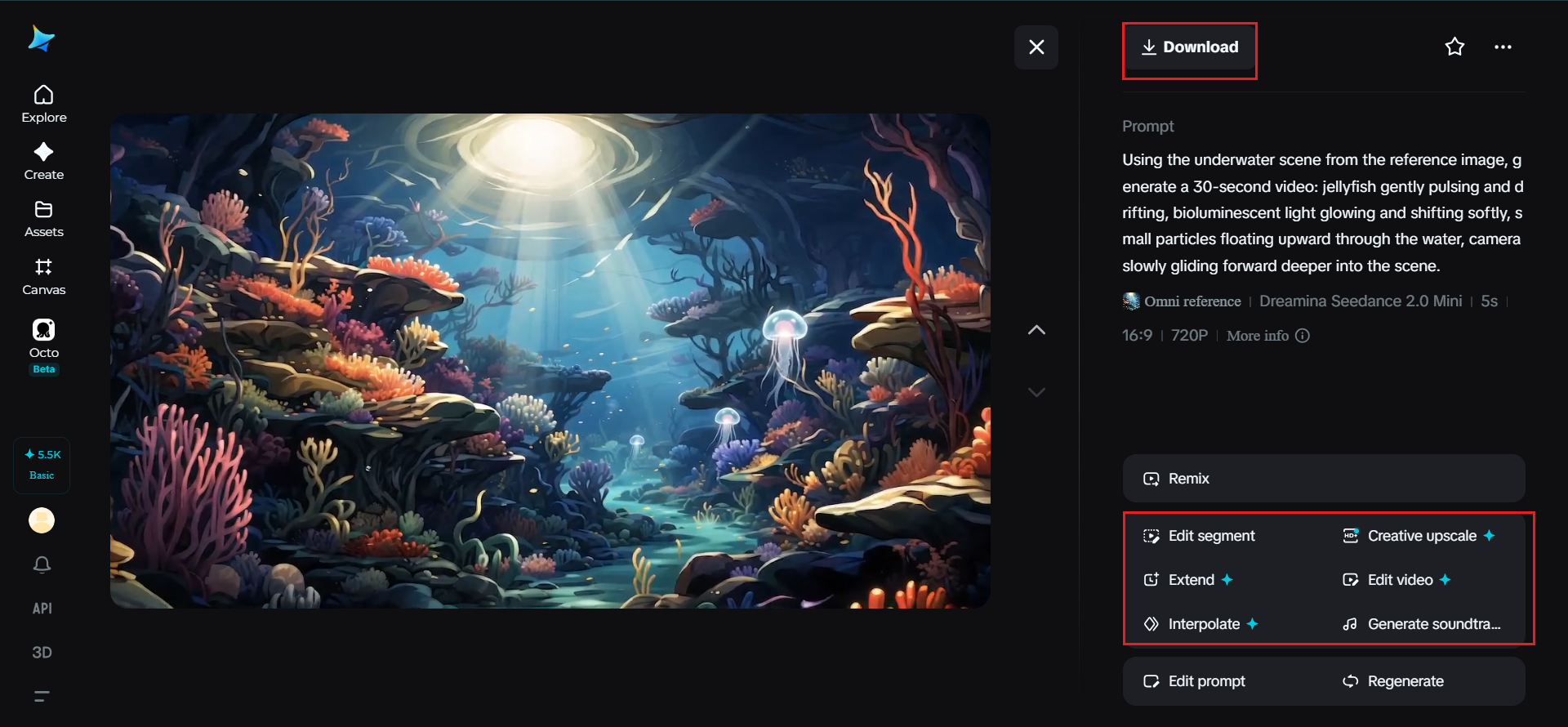
Step 3: Enhance and export your clip
Polish your video before saving it with Dreamina's AI editing tools. Use advanced AI tools like Upscale for higher resolution or Generate soundtrack for adding audio. Finally, export and share it on social media platforms.
Choosing which pieces are worth animating
Not every finished piece needs a moving counterpart. The strongest candidates are usually pieces already built around implied energy — glowing light sources, atmospheric effects, dynamic compositions — rather than quiet, balanced scenes where added motion risks feeling unnecessary.
Inside Seedance 2.5: Precision for digital rendering styles
Style-aware creativity transfer
Digital art often carries a distinct rendering approach, whether cel-shaded, painterly, or hyper-detailed, and Seedance 2.5's creativity transfer capability helps preserve that stylistic identity rather than defaulting to generic video texture.
Reduced "AI look" for cleaner results
The model has significantly reduced the artificial quality that used to undercut digital art in motion, favoring more physically believable light and material behavior across glowing or reflective elements.
Longer scenes for fuller atmosphere
Native clips now support up to 30 seconds, with the "Ultra-long Video Generation (beta)" mode extending that range up to 180 seconds, giving ambient effects room to build gradually.
Precise local editing
Local editing allows specific elements within a frame to be adjusted or removed without regenerating the entire animated piece, useful when only one small detail needs correcting.
Choosing color palettes that read well in motion
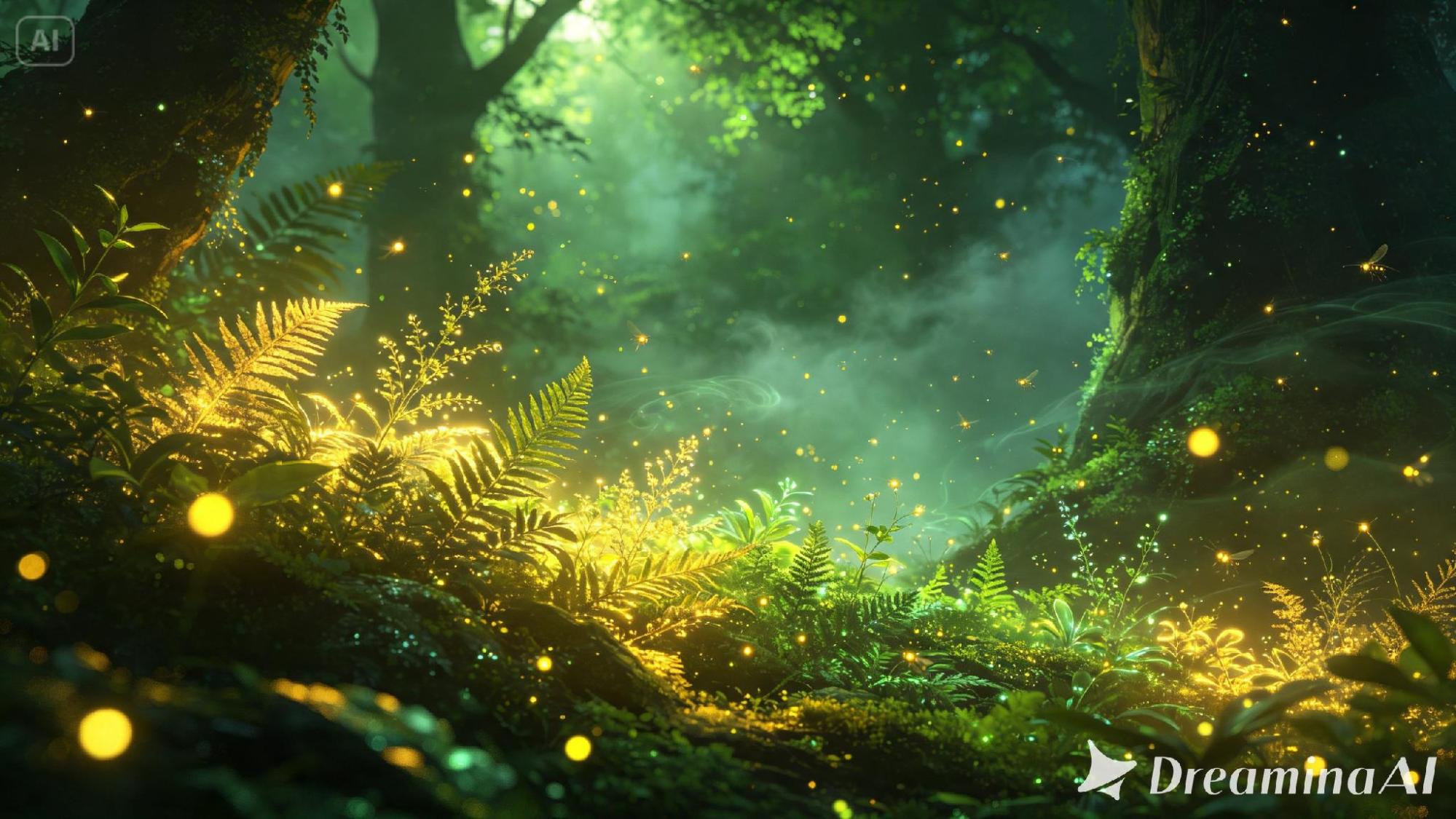
Certain color combinations hold up better under moving light than others. Palettes with a clear dominant tone and a few complementary accents tend to keep their intended mood intact once light and atmosphere start shifting, while overly busy palettes can start to feel muddy in motion.
Practicing restraint when choosing what moves
It's tempting to animate an entire piece at once, but restraint tends to produce stronger results. Letting one or two elements move naturally — light, particles, water — while keeping the rest of the composition stable usually feels more intentional than animating everything indiscriminately.
Building a moving portfolio from static work
A single animated piece is compelling on its own, but a small collection of them, each treated with the same restrained motion philosophy, can turn a static digital art portfolio into something visitors actually stay to watch rather than scroll past quickly.
Sharing the original and animated versions together
Many artists find value in posting the still image first, letting it stand on its own, then following up with the animated version as a companion piece. That sequence lets the original composition be appreciated fully before motion adds a second layer to it.
Extending a single piece into a short series
A strong piece doesn't have to stop at one animated version. Generating a slower, atmospheric cut alongside a more dynamic one from the same source image gives artists two distinct pieces of content to share, each with a slightly different mood.
Where animated digital art gets the most use
This format shows up naturally in art portfolio sites, NFT and digital collectible marketing, social content for original digital work, and gallery-style online exhibitions, where a piece that moves tends to hold attention far longer than one that only exists as a still export.
Final thought
Digital art was always closer to motion than the final export ever showed. With Dreamina and the style-aware precision behind Seedance 2.5, that closeness can finally become real, letting a finished piece keep evolving long after the last layer was flattened into an image.
