

Product advertising frequently needs to be scripted, edited, captioned, include music, and formatted. Pippit makes this easy by converting product information into an easily editable video advertising draft. Automated creation can be given a starting context by a product link or visuals. AI can arrange communication, scenes, transitions, and production elements. The outcome provides a quicker route to creating promotional video content.
What Happens When You Paste a Product Link?
Product information can be used to give context to promotional content when a product link enters Pippit. The advertising concept can be determined by descriptions, features, benefits, and visuals. Good source information ensures that the message generated is relevant to the product. The scene choice, composition, and type of presentation can be affected by visuals. It is similar to an AI movie workflow but still geared towards product advertising. The workflow is based on product context as the creative base, rather than creating the scene manually. Information from sources should be checked for completeness, as this may affect relevance. Having a clear starting point helps to focus messaging.

How to Paste a Product Link and Watch Ad Maker Build Your Video Ad
Step 1: Add Your Product and Ad Details
- Sign up for Pippit by using your Google, TikTok, or Facebook account info.
- Navigate to the “More” tab on the left vertical menu bar and click it to access “Video generator”.

- Select an AI model, such as Dreamina Seedance 1.0, Dreamina Seedance 2.0, Dreamina Seedance 2.0 Fast, Dreamina Seedance 2.0 Mini, or Dreamina Seedance 2.5.
- Enter your product link or detailed product information. Describe the ad style, product angles, text, and other details.
- Choose the video length, language, subtitles, and aspect ratio if needed.
- Click “+” to upload reference images or videos from your device, phone, Dropbox, or a link. You can also select assets if you don’t have reference media.
- Once everything is ready, click “Generate”.
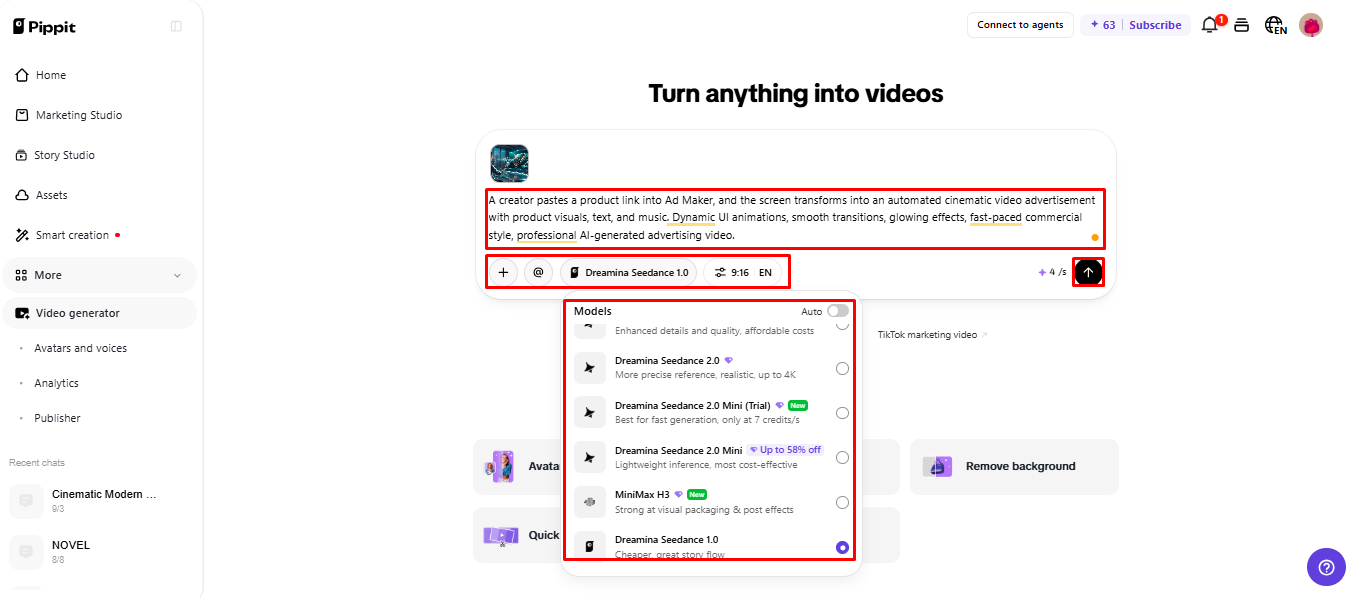
Step 2: Let the AI Build Your Ad
- After clicking “Generate”, Pippit’s AI video generator automatically creates a video ad from your text prompt and reference media.
- The AI handles transitions, pacing, captions, avatars, voice, lyrics, and visual enhancements.
- You will receive a video ad draft to review.
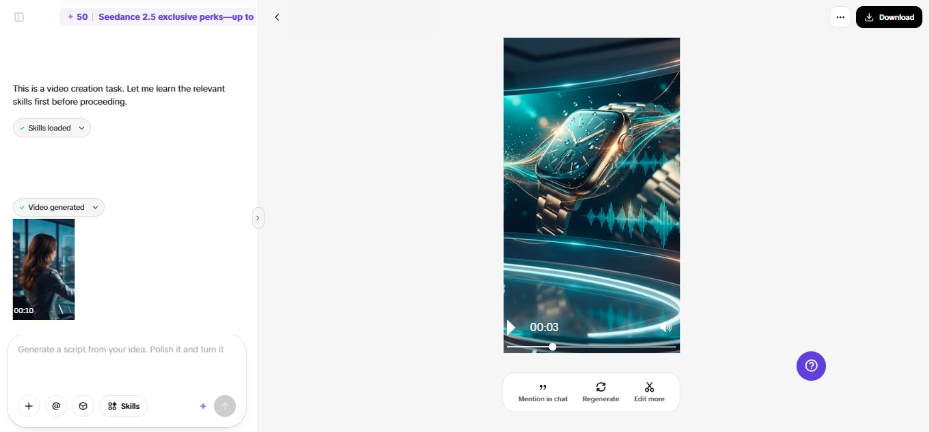
Step 3: Edit and Export the Final Ad
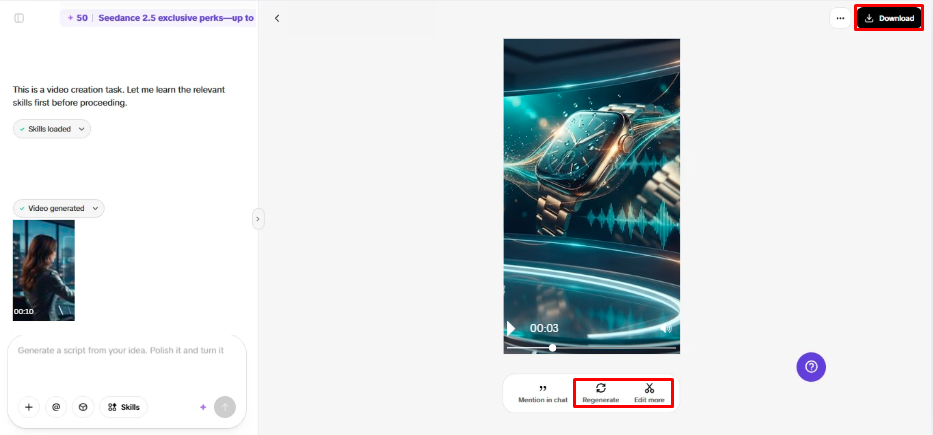
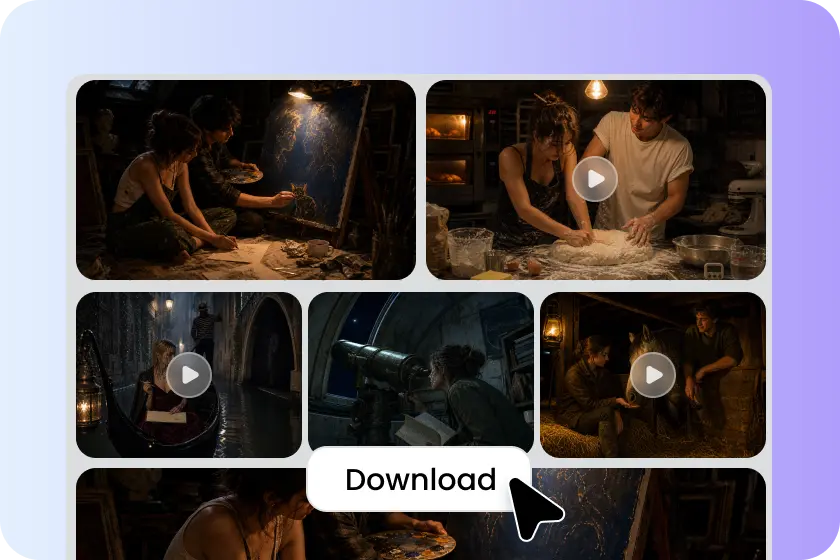
- Click the “Download” tab in the top right corner to save the video as it is. Click “Regenerate” for another version, or “Edit more” under the video to open the Pippit editing interface.
- Edit captions manually, add text, and adjust size, color, alignment, filters, and effects.
- Add background music, remove backgrounds, and fine-tune the visuals.
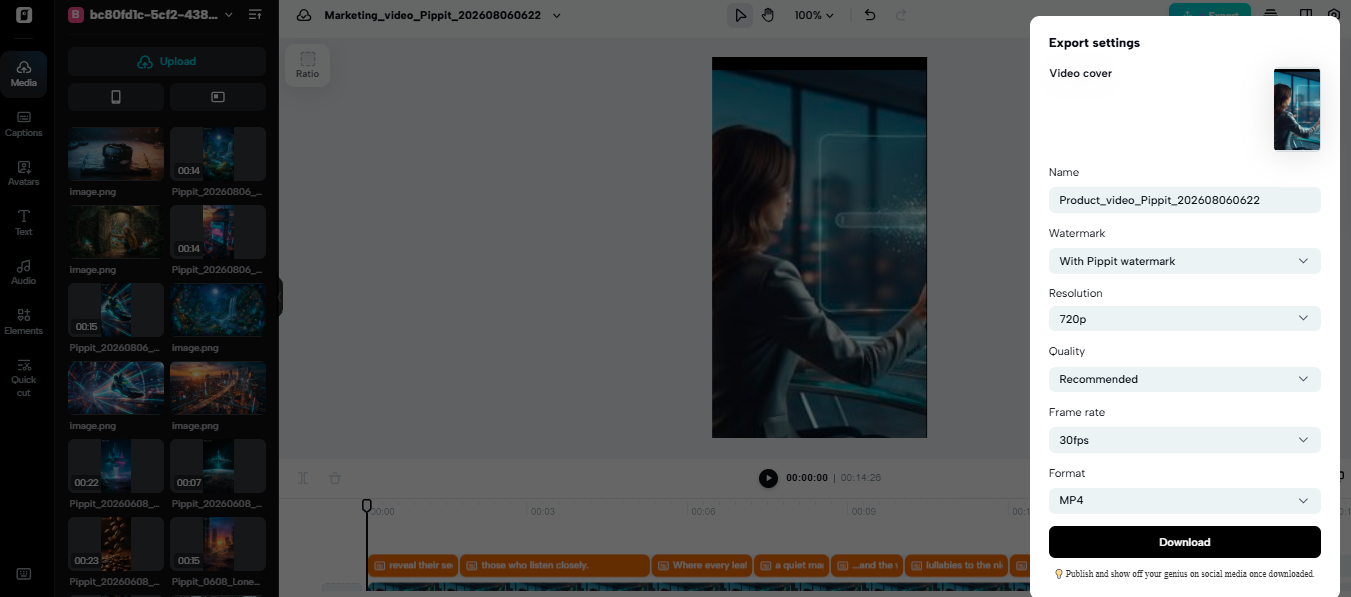
- When the video ad is ready, click “Export” in the top right corner.
- Select “Publish” to post directly to TikTok, Instagram, or Facebook, or click “Download” to save it with your preferred format, resolution, frame rate, and quality.
Building Different Types of Product Ads from One Link
When campaign goals change, a product source can be used for multiple ideas. Pippit can customize product information for launch, promotion, demo, branding, and teaser. Benefits can be highlighted in different formats without losing out on product details. Some instructions that can be found in product advertising are:
- Product launch videos can be used to launch products and show their best-selling features.
- Promotional ads can focus on offers, discounts, or messages that are only available for a limited time.
- Social ads can take the form of short-form ads to grab viewers’ attention.
- Demonstration videos can be used to explain functions, features, or practical uses.
- Product presentation can also be used in brand-focused ads, with recognizable messaging and brand identity.
- Teaser videos can help to generate interest before disclosing the product proposition.
This flexibility allows for campaign changes without the need for a new production process. Every idea should relate to benefits, audience, and goals.
Editing the Automatically Generated Ad Before Publishing
Don’t let automated output replace oversight. While the ad maker workflow speeds up drafting, publishing still demands due diligence. When the wording is inaccurate in describing the product, the caption may require changes. Some adjustments to text placement, size, alignment, filters, and effects may be necessary to make text readable. The background music in the ad should contribute to the ad but not be distracting from the message. When appropriate, background removal can isolate products and provide cleaner compositions. After generation, Pippit offers editing controls to fine-tune these details. Before exporting, verify claims, spelling, logos, prices, offers, and promotional dates. The colors, typography, tone, and terminology should be consistent. A final review can help catch little mistakes that can turn into big campaign issues.
Choosing the Right Format for Social Video Advertising
Aspect ratio has an impact on the position of ad content within the screen. For vertical videos (TikTok, Instagram Reels, YouTube Shorts), the ratio should be 9:16. Vertical composition is ideal for mobile viewing and emphasizes the subject. For widescreen placements and many in-stream ads, consider using 16:9. Widescreen layouts offer more space for demonstrations and supporting materials. Different versions can enhance compositions in several placements. Pippit enables the selection of aspect ratio during video generation and editing. Selecting the destination assists with appropriate positioning of products, captions, and visual elements.
Why Link-Based AI Ad Creation Can Speed Up Production
Link-based creation cuts down on manual processes between product research and an ad draft. Product information can be used as starting context rather than a different collection of information for each scene. Pippit’s story studio can help with writing the script, the visual sequence, transitions, captions, music, and editing. AI editing and templates can help with repeated campaign production. This workflow allows teams to be faster without sacrificing creative decisions in an editable process. Pippit also provides the creation of promotional content such as visuals and marketing content. Faster drafting doesn’t take out imaginative direction, approvals, or checks. Rather, automation frees up time for fine-tuning messages and satisfying the campaign needs.
Conclusion
A product link can serve as a tangible starting point for AI-generated advertising production. Product context can be used to assist in generating scripts, visuals, transitions, captions, music, and editing structures for Pippit. This draft can then be edited before it is published or downloaded. Accuracy, branding, claims, pricing, and campaign requirements are still important and require human review. This workflow results in a more efficient route from product information to published promotional video content.
